Text message
To: SMS
MSG: @<number> <message>
Example: @5551234567 hello! will text "hello!" to 555-123-4567
Replying to the text will send you an APRS message.
You may see a reponse that the number is not opted in. In most cases the message will still be sent.
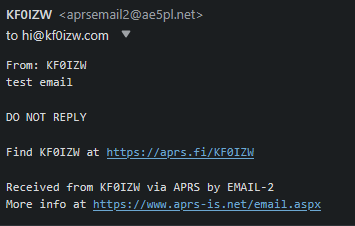
To: EMAIL-2
MSG: <email address> <message>
EXAMPLE: hi@KF0IZW.com test email
This is one-way. You can't reply back to the email.
Weather
To: WXYO
MSG: today / tomorrow / breif / location
EXAMPLE: EN36vt tomorrow
Gridsquare optional. See WxBot website for more commands.
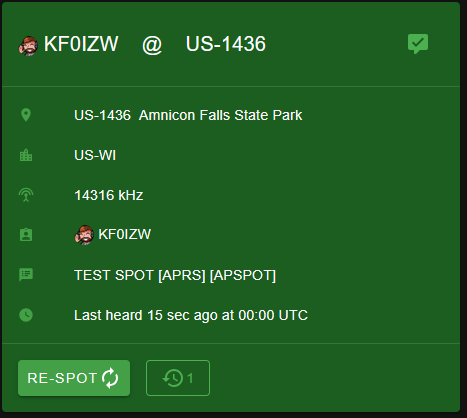
SOTA/POTA Spotting
TO: APSPOT
MSG: ! <Activity> <Ref> <Frequency in MHz> <Mode> <Comment(Optional)>
Example: ! POTA US-1436 14.316 SSB By the river
Response: SUCCESSFULLY SPOTTED FOR <Ref> TO pota.app
See APSPOT website for more commands.
FIND
TO: FIND
MSG: <CALLSIGN>-<SSID>
Returns information (Last heard, speed, distance, grid) on the callsign. SSID optional.
ANSRVR
There's also ANSRVR for groups but that's a lot to list on this page.
Here's a link to the ANSRVR page for more info.
APRS Thursday uses ANSRVR for check-ins