Here's a link to a satellies.csv file that has most satellites as of 02/2026.
Open LOG4OM 2 and go to Help > Open config folder
Default location is %appdata%\Log4OM2
%appdata%\Log4OM2
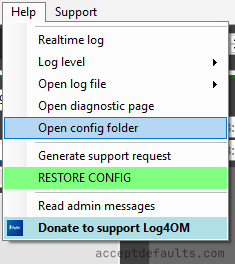
Open satellites.csv. Make a copy of the file before editing anything.
Excel/Calc will look like a normal spreadsheet.
The beginning of the file should look like the text below if you're opening it in a text editor.
AO-27;AO-27
AO-7;AO-7
AO-91;AO-91
AO-92;AO-92
AO-109;AO-109
ARISS;ARISS
LilacSat-2 (CAS-3H);CAS-3H
CAS-4A;CAS-4A
Add the satellites to the bottom of this file and save it.
The format is <Display name>;<SAT_NAME>. In most cases you can use the same name (ex: SO-50;SO-50) unless you know the satellite by a different name.
You can create a log in TQSL to get the expected satellite name for LOTW.
Close LOG4OM and reopen it.
Go to the My (F4) tab and check SATELLITE MODE.
Drop down the Satellite list to see the new satellites.
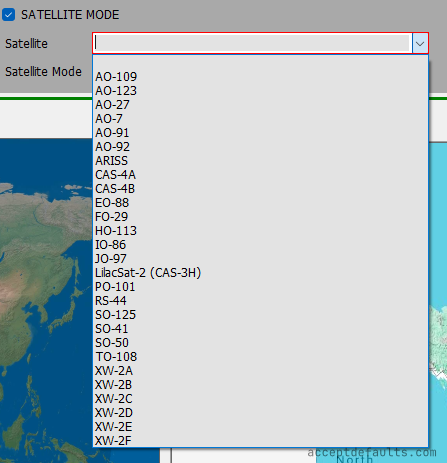
CAS-3H is an example of satellite with a different display name. It uses LilacSat-2 (CAS-3H);CAS-3H in the CSV file.
The name is LilacSat-2 (CAS-3H) in LOG4OM but will use CAS-3H in ADIF exports.
See you on the birds
73 de AA0AF